A professional network for tradespeople
Hire, Get Hired, and Show Off Your Work
Build a portfolio, connect with other tradespeople, and post the help you need or the work you're available for.
Browse tradespeople without an account. Sign in to message members, post work, and share availability.
Inside TradesRoster
See how TradesRoster works.
Start with a profile that shows what you do. Use it to find people, discuss work, and stay connected.
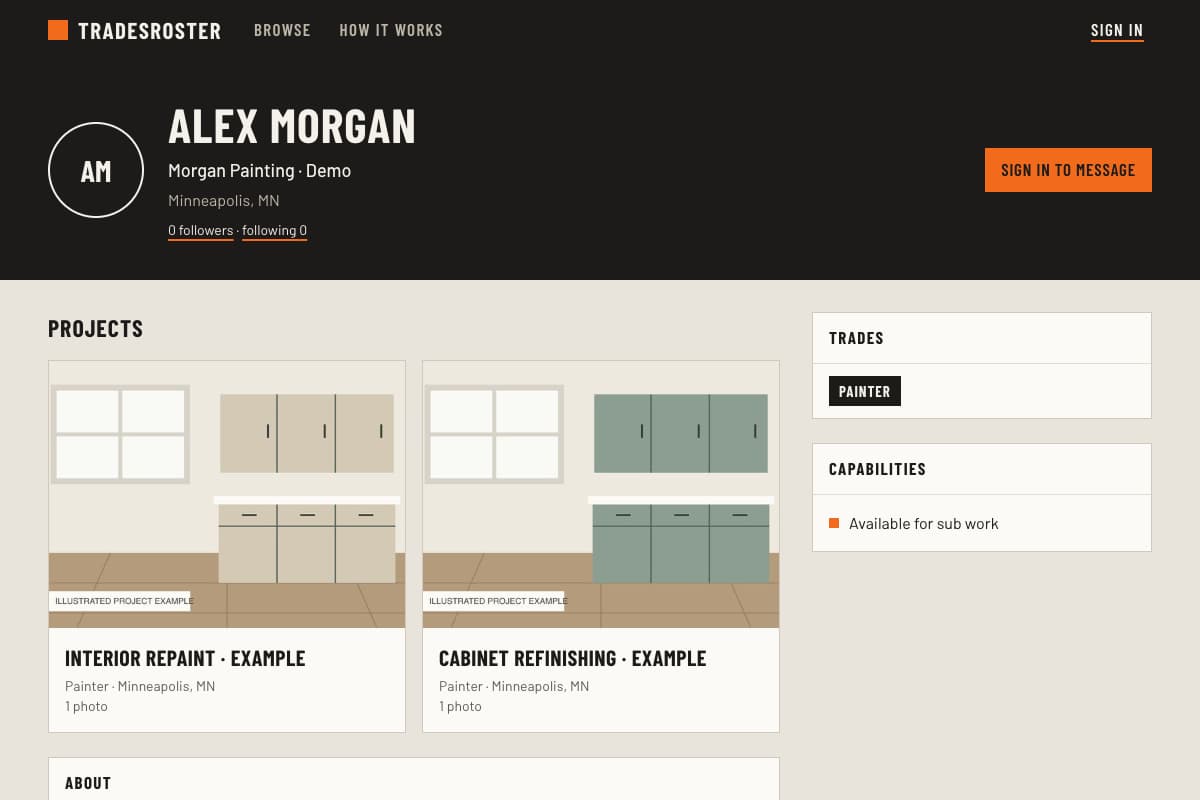
01 / Show your work
Show the work behind your profile.
Build a profile with your trades, skills, and the types of work you take on. Group photos into projects so another contractor can see what you did and how you did it.
Your profile starts members-only. Make it public when you want to share your work outside TradesRoster.
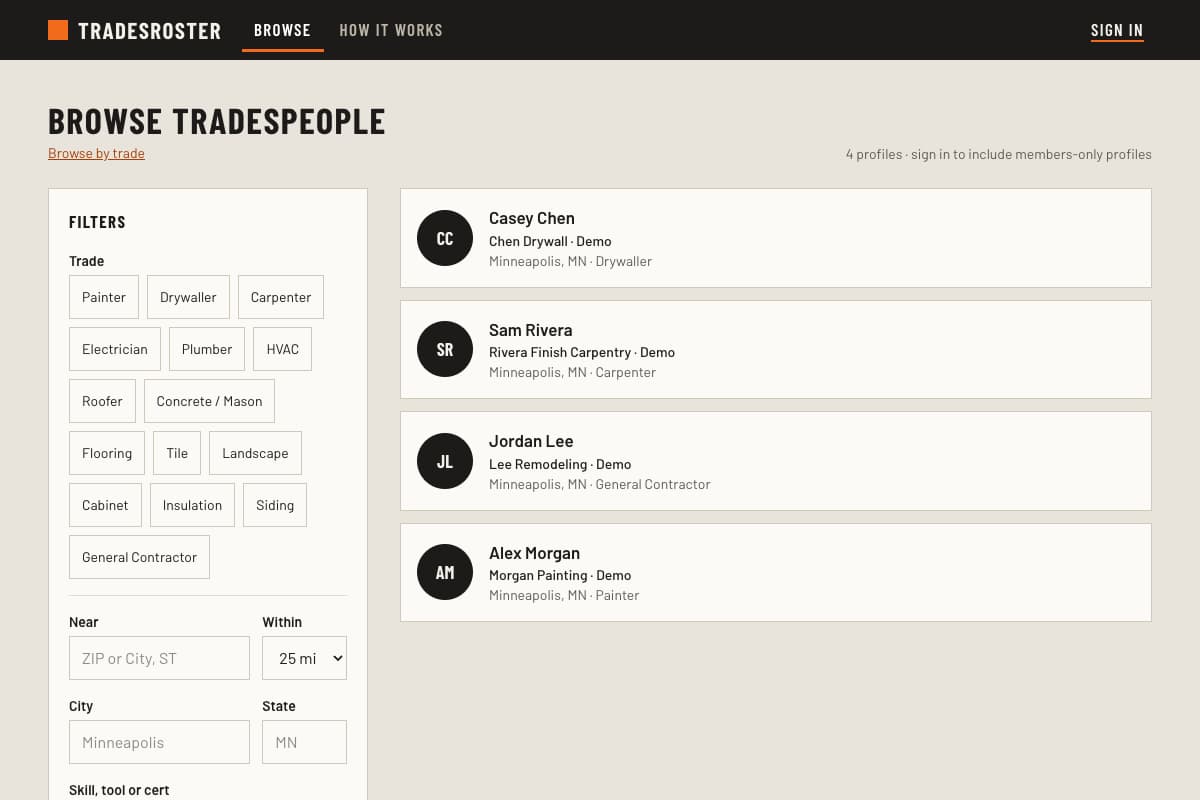
02 / Find tradespeople
Find the right experience for the job.
Browse by trade, location, and work type. Open a profile to see projects and specialties before you reach out about subcontract work, extra help, or a future project.
Anyone can browse public profiles. Sign in to include members-only profiles and follow people you want to keep in touch with.
03 / Jobs & availability
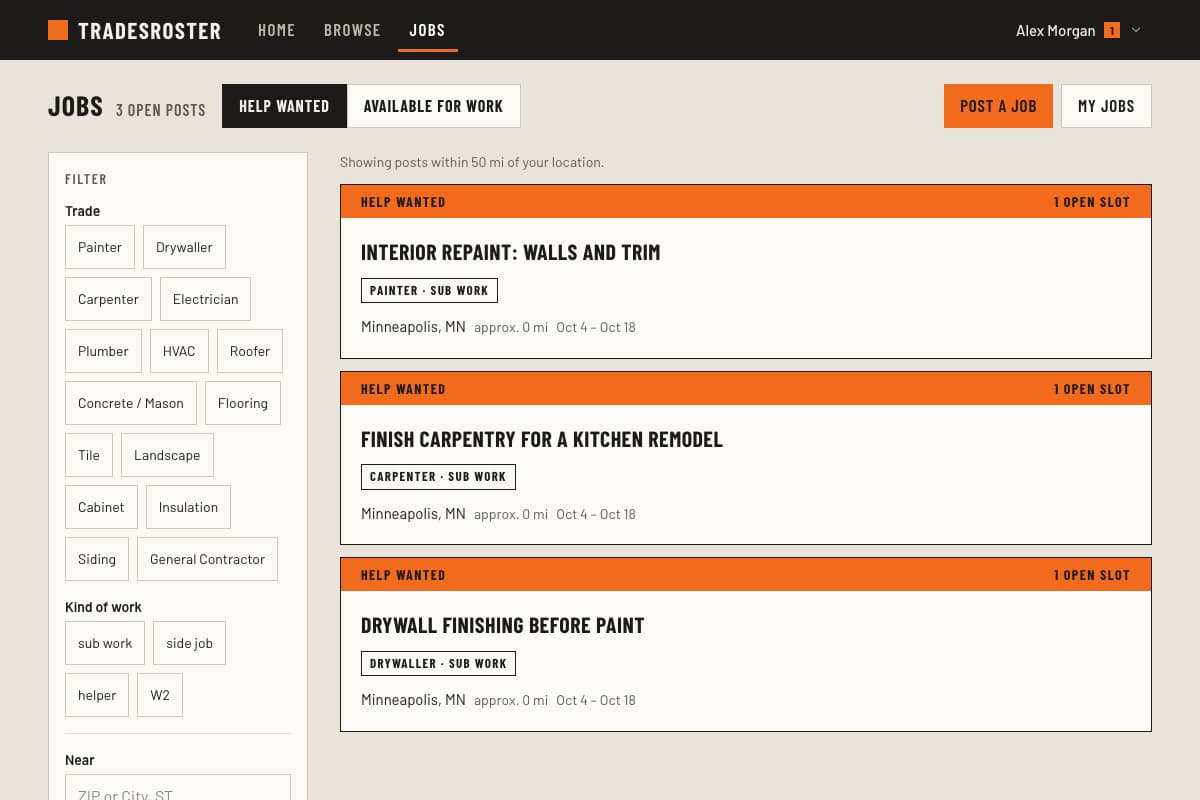
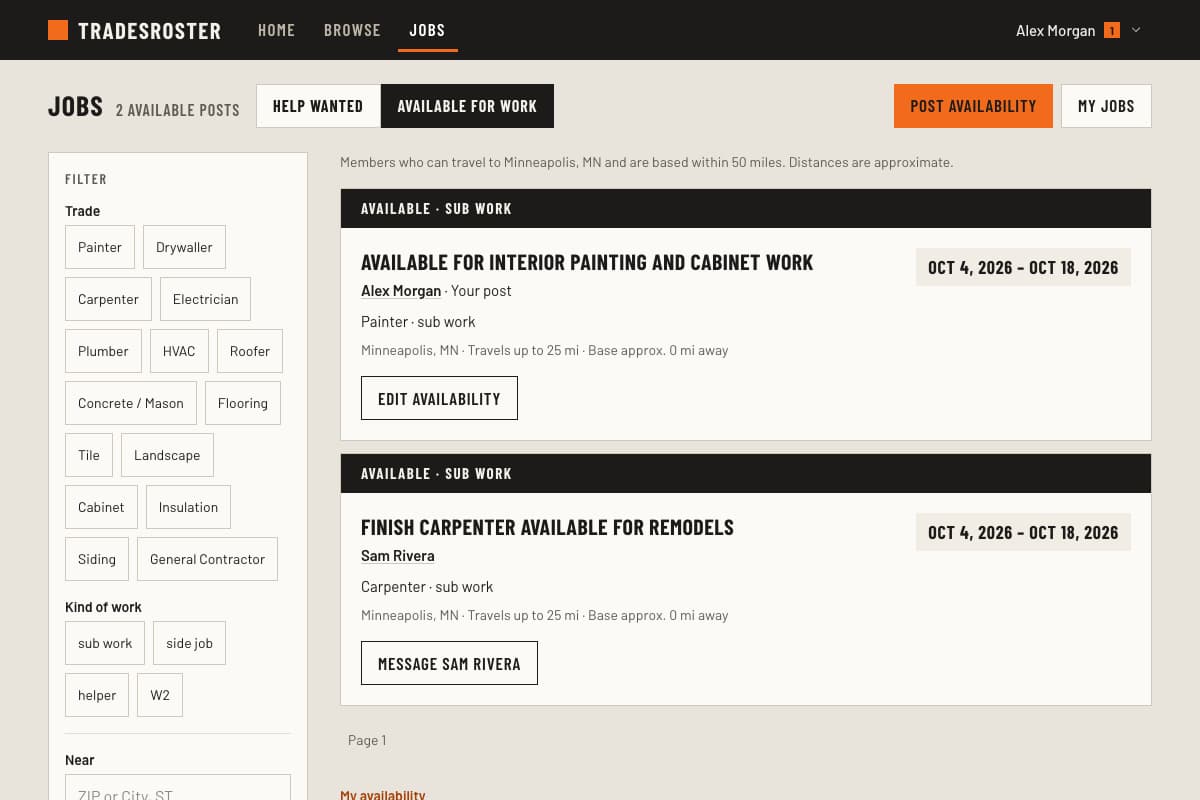
Need help? Have time for another job?
Post help wanted with the trades, location, and dates you need. Members can respond, and you choose whom to approve. When you are looking for work, post your available dates and the area you serve.
Jobs and dated availability are visible to signed-in members. A profile's work preferences describe the kinds of jobs someone takes; an availability post gives specific dates.
04 / Keep in touch
Keep the conversation with the work.
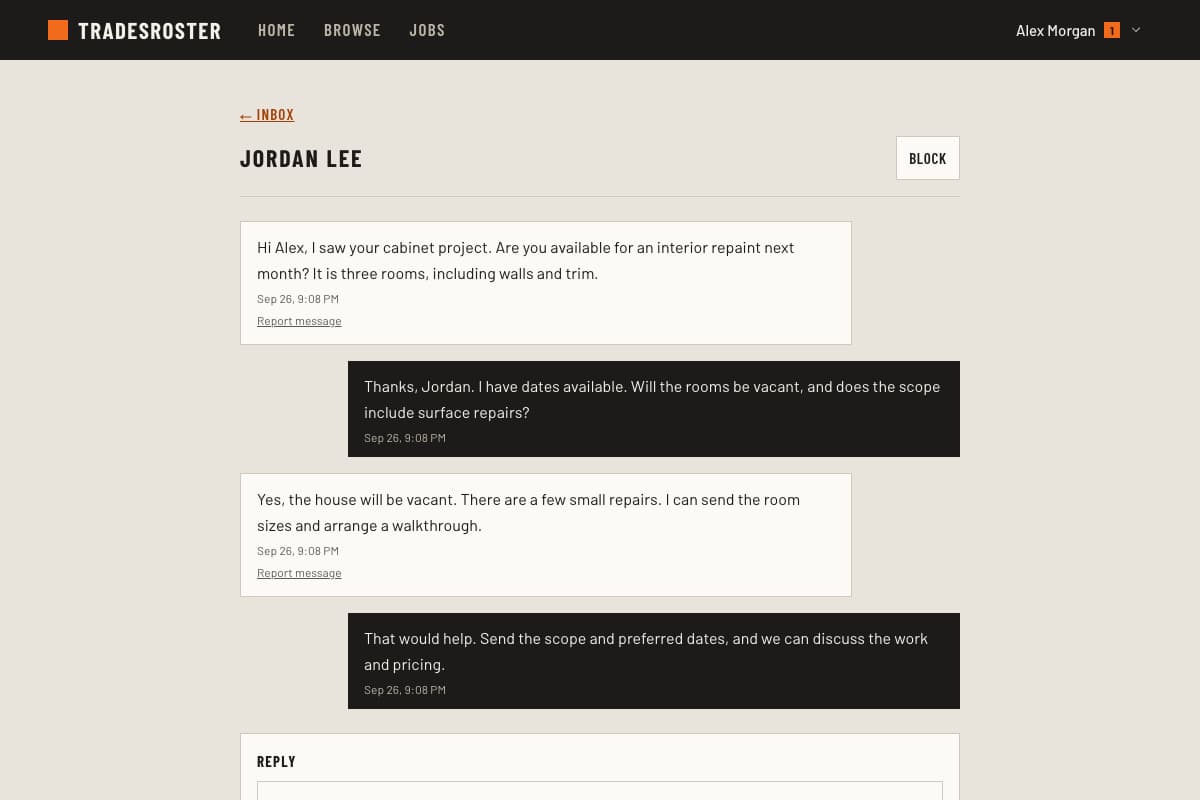
Message members about scope, schedule, and next steps. Follow their work and see updates in your feed, so a useful connection can continue beyond one job.
Members agree on scope, price, and payment directly. You choose whether to accept new messages.
For contractors
Need another trade on a job?
Find relevant work examples, post the trades you need, and talk directly with members about the job.
Find subcontractorsFor tradespeople
Looking for subcontract work?
Show what you do, share the dates you are available, and respond to help-wanted posts from other members.
Find subcontract workBuilt for the work you do.
Explore public profiles and learn how each trade can use TradesRoster.
- Painters
- Drywallers
- Carpenters
- Electricians
- Plumbers
- HVAC technicians
- Roofers
- Concrete and masonry contractors
- Flooring installers
- Tile setters
- Landscapers
- Cabinet installers
- Insulation installers
- Siding installers
- General contractors
Created by a contractor
A place to show your work and connect about the next job.
TradesRoster was created by Kevin Spahn, owner of Paintcrafters LLC and founder of Painter's Log.
A useful profile gives you a place to share your projects and build connections with other tradespeople.
Before you join
Who is TradesRoster for?
Tradespeople and contractors who want to show their work and connect with other trades. You can list several trades and explain whether you take subcontract work, hire helpers, accept side jobs, or are looking for employment or an apprenticeship.
What can I do without an account?
Browse public profiles and projects. Sign in and create a profile to message members, follow their work, post jobs, respond to help wanted, or share your availability.
Who can see my profile?
Profiles start visible to signed-in members. You can make yours public so anyone can view it and search engines can find it. Members-only means all signed-in members, not only your followers.
Where does location search work?
TradesRoster is intended for tradespeople around the world. Distance search currently supports U.S. ZIP codes or city and state, with distances in miles. Support for other countries' addresses and postal codes is planned.
How are work arrangements handled?
You discuss the work and agree on scope, schedule, and payment directly with the other member. TradesRoster does not process payments or guarantee work. License and insurance details are member-provided and are not verified by TradesRoster.
Give your work a place to be seen.
Add your trades, a few projects, and the kinds of work you take on.